Arctext.js – Curving Text with CSS3 and jQuery

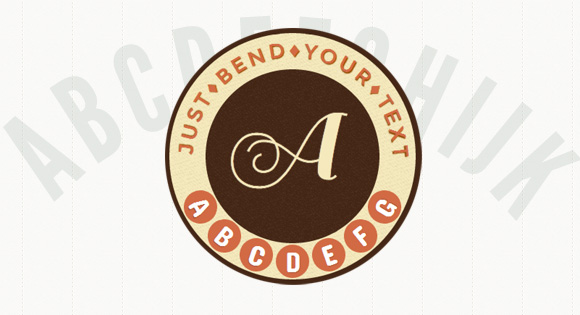
While CSS3 allows us to rotate letters, it is quite complicated to arrange each letter along a curved path. Arctext.js is a jQuery plugin that let's you do exactly that. Based on Lettering.js, it calculates the right rotation of each letter and distributes the letters equally across the imaginary arc of the given radius.
Advertisement

Arctext

View demo Download source

While CSS3 allows us to rotate letters, it is quite complicated to arrange each letter along a curved path. Arctext.js is a jQuery plugin that let’s you do exactly that. Based on Lettering.js, it calculates the right rotation of each letter and distributes the letters equally across the imaginary arc of the given radius.

How it works

The main idea behind the Arctext plugin is to rotate letters with CSS3 transforms in order to place them along a curved path. The curve is always a segment of a circle (hence arc) for which the radius can be specified. The space and rotation for each letter will be calculated using that radius and the width of the text.

Options

The following options are available:

radius	: 0,
// the minimum value allowed is
// half of the word length.
// if set to -1, the word will be straight.

dir		: 1,
// 1: curve is down,
// -1: curve is up

rotate	: true,
// if true each letter should be rotated.

fitText	: false
// if you want to try out the
// fitText plugin (http://fittextjs.com/)
// set this to true.
// Don't forget, the wrapper should be fluid.

View demo Download source

Previous:
Next:

Tagged with:

Written by

Pedro Botelho is a freelance web developer & designer. He is the co-founder of Codrops and a team member at Tympanus.

View all articles by

Website: http://tympanus.net

Related Articles

Feedback 32 Leave a comment

  1. 1

    Hi Pedro

    Great tutorial, I recently experimented with slanted text using css3, but this plugin opens up a range of possibility’s. It would be great to use something like this when creating logo’s to include company names and slogans as real text. It is a shame there is no workaround for internet explorer but this is still something I will look to use in the future.

    Cathy

  2. 3

    I went looking for the Github link and finally realized there wasn’t one. Felt weird, like I was living in the past (4 or 5 years ago) :)

  3. 4

    Pedro, really nice work! It looks great.

    I’ve been trying to modify it so it can support rendering on the Y axis instead of the X axis. Sadly I’m not that great at math and haven’t been able to get it working right. Any chance you could help out? What part of the math needs to change to support rendering on the Y axis (basically rotate everything 90 degrees or -90 degrees)?

  4. 7

    This looks fantastic. Can someone give instructions on how to implement this? I don’t have any knowledge of js.

  5. 9

    If I dynamically update the content, the plugin does not work. (Code below)
    Anyone knows how to fix this?

    $example1.html(“Something else”);
    $example1.arctext({radius: 500, rotate: true});

    • 10

      Eventually I remove the element from the dom and insert a new one before calling arctext again. It works… in a very ugly way.
      Still looking for an elegant solution. Thanks.

Follow this discussion

Leave a Comment

*

You may use these HTML tags and attributes: <a href="" title=""> <abbr title=""> <acronym title=""> <b> <blockquote cite=""> <cite> <code> <del datetime=""> <em> <i> <q cite=""> <strike> <strong>