
From our sponsor: Leverage AI for dynamic, custom website builds with ease.
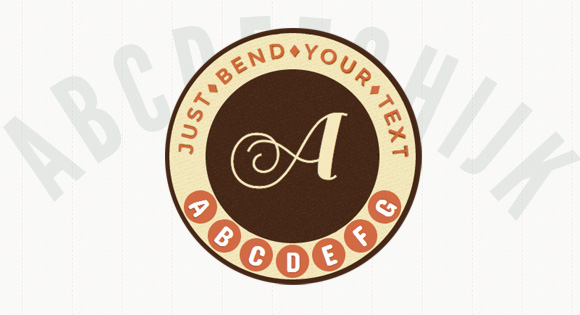
While CSS3 allows us to rotate letters, it is quite complicated to arrange each letter along a curved path. Arctext.js is a jQuery plugin that let’s you do exactly that. Based on Lettering.js, it calculates the right rotation of each letter and distributes the letters equally across the imaginary arc of the given radius.
How it works
The main idea behind the Arctext plugin is to rotate letters with CSS3 transforms in order to place them along a curved path. The curve is always a segment of a circle (hence arc) for which the radius can be specified. The space and rotation for each letter will be calculated using that radius and the width of the text.
Options
The following options are available:
radius	: 0,
// the minimum value allowed is
// half of the word length.
// if set to -1, the word will be straight.

dir		: 1,
// 1: curve is down,
// -1: curve is up

rotate	: true,
// if true each letter should be rotated.

fitText	: false
// if you want to try out the
// fitText plugin (http://fittextjs.com/)
// set this to true.
// Don't forget, the wrapper should be fluid.





in chrome the text JUST ? BEND ? YOUR ? TEXT looks offset
Love it!
Just wish it worked in IE too =(
i’m sorry, but i just want to say…. wow, fantastic man 🙂
Awesome stuff. Was just hoping, given the jQuery mention, that it would work in IE.
Yeah !!! So great !!!
Awesome plugin
Not sure what other are saying about not working in IE – seems to work fine on my versions. A question: how do i get rid of using webfonts and just use whatever i specify in my CSS? I thought getting rid of the following – or part thereof – would fix it but to no avail.
I have stripped the code back to example 1:
var $example1	= $('#example1').show();

google.load('webfont','1');

	  google.setOnLoadCallback(function() {
		WebFont.load({
			google		: {
			  families	: ['Montserrat','Concert One']
			},
			fontactive	: function(fontFamily, fontDescription) {
			  init();
			},
			fontinactive	: function(fontFamily, fontDescription) {
			  init();
			}
		});
	  });

function init() {

$example1.show().arctext({radius: 500});

};
Which works well. i thought if i got rid of – or part thereof – the following code it would still work:
google.setOnLoadCallback(function() {
		WebFont.load({
			google		: {
			  families	: ['Montserrat','Concert One']
			},
			fontactive	: function(fontFamily, fontDescription) {
			  init();
			},
			fontinactive	: function(fontFamily, fontDescription) {
			  init();
			}
		});
	  });
Any ideas?
Thank you all for your feedback.
@Jason Are you calling init()? Take a look at this: http://tympanus.net/Development/Arctext/index2.html I am using “serif” here. In the JavaScript I do
$('#headline').arctext({radius: 400});Hope it helps.
Nice. Thanks
I dunno how do you guys at Codrops come up with these innovative ideas. Some of the best tutorials I’ve ever come across are on this blog. Keep it up !
nice!!!, cool for us retarded people that cant really use ‘them there fancy picture book learnin photoshop tricks’
funny thing was is that i was struggle with this very same thing this morning assigning damn text to vector paths……d’oh!
the first tweak i can see is to assign a rotation given some data or a trigger event.
interesting set of adjustments would be to replicate a watch purely without images and a ‘snap into place’ day/date dial or window.
the UI possibilities for just this example are endless.
thanks for a great bookmark
Perfect! Thanks 🙂
Wow! Thats nice awesome JQuery and CSS3 trick!
The first animation option in chrome and windows OS makes the text “blink” and moves it offset
I agree with the “blink” part. I am sure if you set the backface-visibility to hidden (spans) it will not blink. Cheers
I was actually looking to do something like this not too long ago. Great, but a bit late 🙁
Out standing work, this jquery and css are amazing n useful 🙂 thanks for sharing.
This is going to be fun experimenting with!!! Thanks a bunch for sharing this!
@Pedro Botelho – great, that works perfect RE: getting rid of web fonts!
Cheers
WoW! nice!
could be helpful, thanks for sharing.
loved it man!!
Awesome…
Hi Pedro
Great tutorial, I recently experimented with slanted text using css3, but this plugin opens up a range of possibility’s. It would be great to use something like this when creating logo’s to include company names and slogans as real text. It is a shame there is no workaround for internet explorer but this is still something I will look to use in the future.
Cathy
Really grate tutorial, and also awesome new look codrops.
I went looking for the Github link and finally realized there wasn’t one. Felt weird, like I was living in the past (4 or 5 years ago) 🙂
Pedro, really nice work! It looks great.
I’ve been trying to modify it so it can support rendering on the Y axis instead of the X axis. Sadly I’m not that great at math and haven’t been able to get it working right. Any chance you could help out? What part of the math needs to change to support rendering on the Y axis (basically rotate everything 90 degrees or -90 degrees)?
Is it possible to use curved text for a link/a href?
Great stuff! A Github project for this would be nice is possible
Kind regards,
Milk
This looks fantastic. Can someone give instructions on how to implement this? I don’t have any knowledge of js.
Just figured it out 🙂 many thanks.
If I dynamically update the content, the plugin does not work. (Code below)
Anyone knows how to fix this?
$example1.html(“Something else”);
$example1.arctext({radius: 500, rotate: true});
Eventually I remove the element from the dom and insert a new one before calling arctext again. It works… in a very ugly way.
Still looking for an elegant solution. Thanks.
I just wonder how can use the same concept to put instead of text, a series of images and then transform over the curve, any idea?
how can i use it for arabic text ?
really nice!
can anyone tell me where is the file Lettering.js in the source code??i cant find it and the text is not being rotated.
Really great tut thanks
I was looking for something like this about 4 months ago!!
Great plugin, befor i’ll try to use it, i’d like to know about the accessibility of SEO (every letter in a span) ?