
From our sponsor: Leverage AI for dynamic, custom website builds with ease.
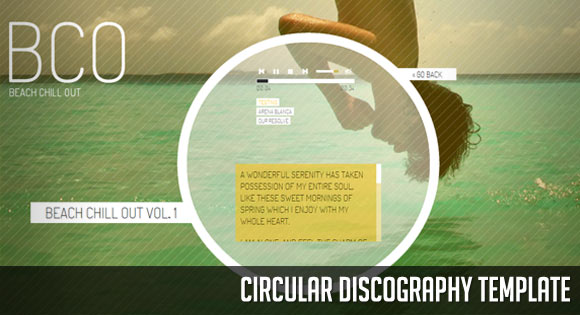
Today we want to share a simple website template with you. The template will show some discography or music albums in a rounded fashion, rotating the albums when clicking on next or previous. When clicking on an album, we will open the album details view which contains a music player (jPlayer) and a playlist of some songs. There is also a description area that can be scrolled.
We will be using the following jQuery plugins and scripts that will help us with the effects and the functionality:
We’ve added some nice music samples from the following artists:
Audiotechnica – Testing
by audiotechnica
Coffeeeurope -Arena Blanca
by Hektor Thillet
Ramblinglibrarian – Our Resolve
by Ivan Chew
Syenta – Emerging Cry
by Syenta
Thanks to the artists for releasing their music under the Creative Commons Attribution Noncommercial (3.0) Licence!
The initial screen of the template will show some loading element, and we will preload all the images. It will show the album view with the navigation arrows lined up in a diagonal:

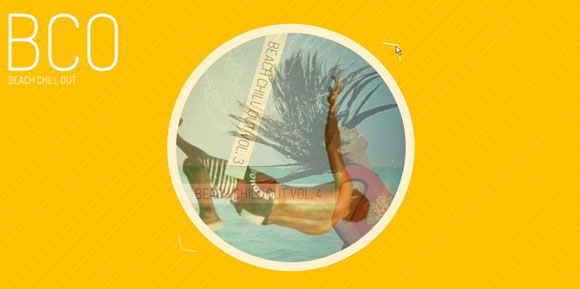
When clicking on one of the navigations arrows, we will rotate the album and fade in the next/previous one:
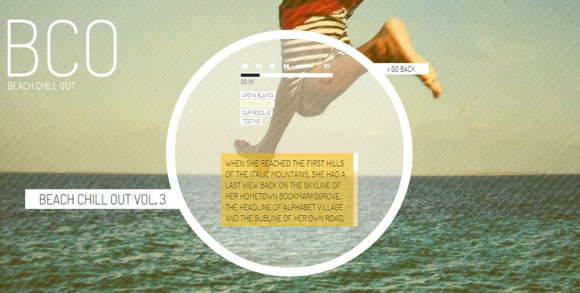
When clicking on one of the albums, we will open the album detail view with a music player, a playlist and some detailed info on the album. The background image will now change to the one we had in the circle of the album before. The music will start automatically with the first song and continue through the playlist:
We hope you like this little template and find it useful!





Hi Brian,
the circle is square in any IE version under 9 because rounded borders are not supported. Let me know which Chrome version you are using because I’m not seeing that problem (I have 13.0). Same for FF (which version), because the songs play on ver 5.0. I’d love to offer support but I’m completely booked out, so I hope I can at least point you into the right direction! 🙂 Cheers, ML
I am using Firefox 6.0.1 and the songs won’t play. 🙁
I accidentally hit submit comment, wasn’t finished. 🙂
It does work on internet explorer, I tested it on a couple other computers running internet explorer 9, the one I tested on before was xp (no ie9 for xp). No biggie, that stuff is outdated anyways. 🙂
So to sum it up, the only browser I am having any trouble with is the latest Firefox.
Also, one other small thing, which I’ll do my best to research (unless you might have a quick fix for) is when viewing on an iPhone, the selected song doesn’t have it’s “highlighted” attributes to show which track is actually playing. Not sure if you know a work around for that. Thanks anyways, great template. I would have paid for this one. 🙂
Also, I was running google chrome 13 (the latest updated version I thought). Can’t find a google chrome 15 download. I saw a 15 provided to testers with Mac OS X, but no official release on that yet? You should check it out in the latest google chrome 13, it’s quite a mess. 🙂
I wish I could edit posts.
Ok, it seems like there are just bugs with windows xp for me.
On my other computers and OS, the layout is perfect in google chrome, IE, and Firefox BUT the audio files won’t play in Firefox v6.0.1
Also, while viewing on my iPhone4, it doesn’t show which song is selected and currently playing like it does in the browsers on my computer.
That’s my update, you could delete my other two posts before this please to free up any confusion.
Thank you for sharing this amazing template!Thank you mary, you awesome ! =)
Dear Mary Lou,
I try to youse Your amazing template for my WEB-Site. It works quite well in all browsers, but when I add a 5th CD it displays only the background image but not the Thumb.
What could I do?
forgot to add the Link!!
http://www.cyan-heidelberg.de/hardchor/Discografie.html
@Gerhard you need to add in your CSS file something like
.cd_album_5{
    background-image:url(../thumbs_disco/5.jpg);
}
I know, this should have been done dynamically :S
Hope it helps!
Thanks a lot for Your tip. I really didn’t see definition for the cd’s background image. Now it works.
Absolutely fabulous.
the Chill music makes it all the more to enjoy the visual greatness of this one.
Great impressive works.
🙂
Doesn’t work for me sometimes. If you’ll click twice on the same track name then playlist.js throws an exception on line 62 (this.cssSelector is undefined)
http://muzzaz.net/ – good! thanks 🙂
Hi Mary Lou,
I would like to ask you a question about the possibility to insert a link in the “index.html” that allow me to go to another album, not necessary prev or next album. For example, when I open my site the default album is #1 but I would like to create a button to go directly to album #10… I’m sorry for my bad english but I hope you’ll understand me 🙂 I know that I have to manipulate the file “jquery.template.js” but I don’t know the Javascript language (I usually work with Flash and Actionscript)…
I hope you will help me in this…
Thanks in advance and compliments
Giovanni
Nice & smooth animation..like it..thanks 🙂
Hey Mary…Is there is anyway to autoplay slider images?